Buying a domain and hosting is the first step to creating a website. An SSL certificate helps secure your site by protecting user data and enabling HTTPS. In this guide, we explain how to buy domain and hosting and why an SSL certificate is essential for website security and trust.
How to Buy Domain and Hosting?
We can buy Domain and Hosting from Service Providers. We can also buy domain from one service provider and hosting from another and later we can Map them.
List of various service providers:
| > Bluehost > GoDaddy > HostGator > Hostinger > SiteGround > Namecheap > A2 Hosting | > DreamHost > HostFav > JustHost > Fasthosts > Cloud ways > Host winds > HostMonster |
Tips to be remembered while buying a Domain
- Choose short and simple domain names. Ex: Swiggy, Ola, Uber, Amazon, eBay etc.,
- Choose a domain name that is easy to type and remember. Don’t mislead the customers or visitors. Ex: www.Successstories.com, www.Sushanthsingh.com
If we look at the example domains, they are a bit confusing and people may commit mistakes while typing the domain name, which results in landing them in some other website. - Don’t go for hyphens in domain names. People may miss the hyphen while typing the domain name. Ex: www.digi-hari.com
- It is also important to choose a proper domain extension. We can use our Business Keyword + our Name / Animal / Bird names. Ex: Digitalharisha, Digitalpanda, Digiready, Diginest etc.,
- Don’t forget to check Social Media Handles availability.
Social Media Handles and their Importance
A Social Media Handle is a public username used in various social media accounts or social media platforms like Facebook, Instagram, Twitter, LinkedIn etc., This username is followed by @ symbol. This helps people to reach your brand on various social media platforms.
Ex: @Digireadycourses, @crunchstories.in etc.,
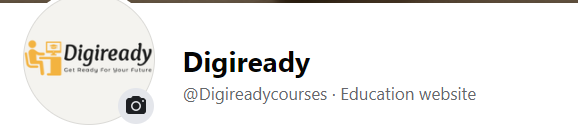
Make sure to use the same social media handle in every social media platform, so that people can find us easily. If different usernames are used for the same brand in various social media platforms, people may get confused in identifying our brand.
Http vs Https
Http – Hypertext Transfer Protocol, Https – Hypertext Transfer Protocol Secure is a more secure version or an extension of HTTP.
If a site URL begins with “https” and a lock symbol to the left of the URL known as ‘Padlock’, then the website is secured.
When clicked on that padlock symbol it also says that the ‘connection is secured’.
 |  |
What is SSL Certificate
The term SSL refers to Secure Sockets Layer also known as a “digital certificate”. It serves two purposes:
It verifies the website’s trustworthiness (assuring visitors that they aren’t visiting a fake site).
It encrypts the data that is sent over the internet.
It is a standard security technology (a protocol) that allows web servers and browsers (web clients) to communicate securely over an insecure network like the internet. It ensures that data transmitted between a web server and browsers is kept private and secure.
Millions of online organizations and individuals use it to reduce the danger of sensitive data (such as credit card numbers, usernames, passwords, and emails etc.,) being stolen or altered by hackers and identity thieves.
This SSL certificate enables websites to move from HTTP to HTTPS (Hypertext transfer Protocol Secured), which is more secure. We can buy this SSL certificate from Web Hosting Service providers.
Want to learn this topic in live? Visit: Digiready YouTube Channel